Koncert now supports a native integration with Gong Engage, allowing sales teams to seamlessly synchronize call and manual task data between Gong and Koncert.
With this integration, users can directly import Gong Flows, Call Tasks, and Manual Tasks into Koncert for efficient dialing and activity management — ensuring complete alignment between your engagement data, CRM records, and Gong insights.
This enhancement bridges the gap between sales intelligence (Gong) and sales execution (Koncert), enabling teams to manage, execute, and track sales activities from a single, unified workspace.
Integration Workflow
Setup from Gong Side
To establish the connection between Gong and Koncert, your Gong Admin must first integrate your CRM with Gong.
Steps:
Log in to your Gong Admin account.
Navigate to Admin Center → Integrations → CRMs.
Under the CRM options, you’ll find Salesforce, HubSpot, and Microsoft Dynamics.
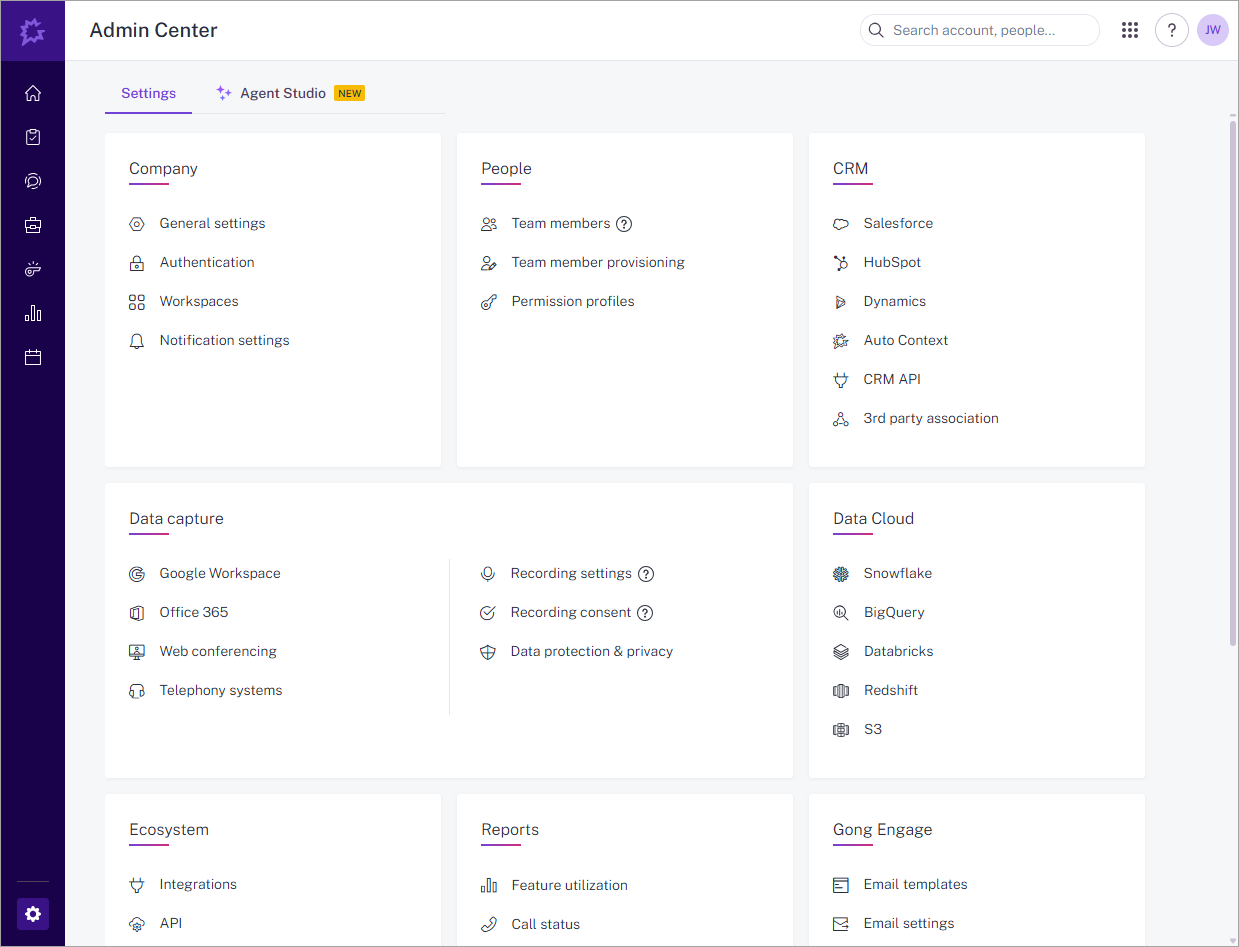
Select the CRM you wish to integrate and click Connect.
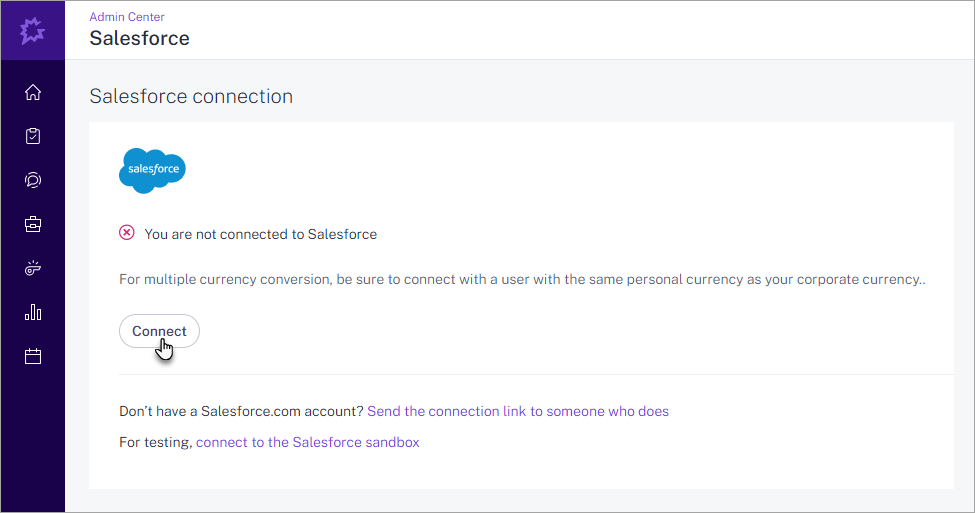
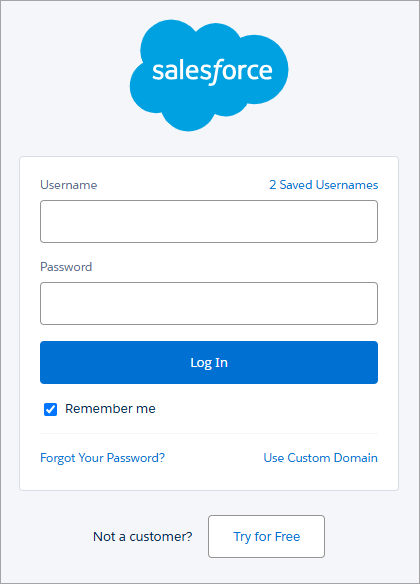
Log in using your CRM credentials when prompted.
Once connected successfully, Gong will display a confirmation message:
“You are connected to <CRM Name>.”
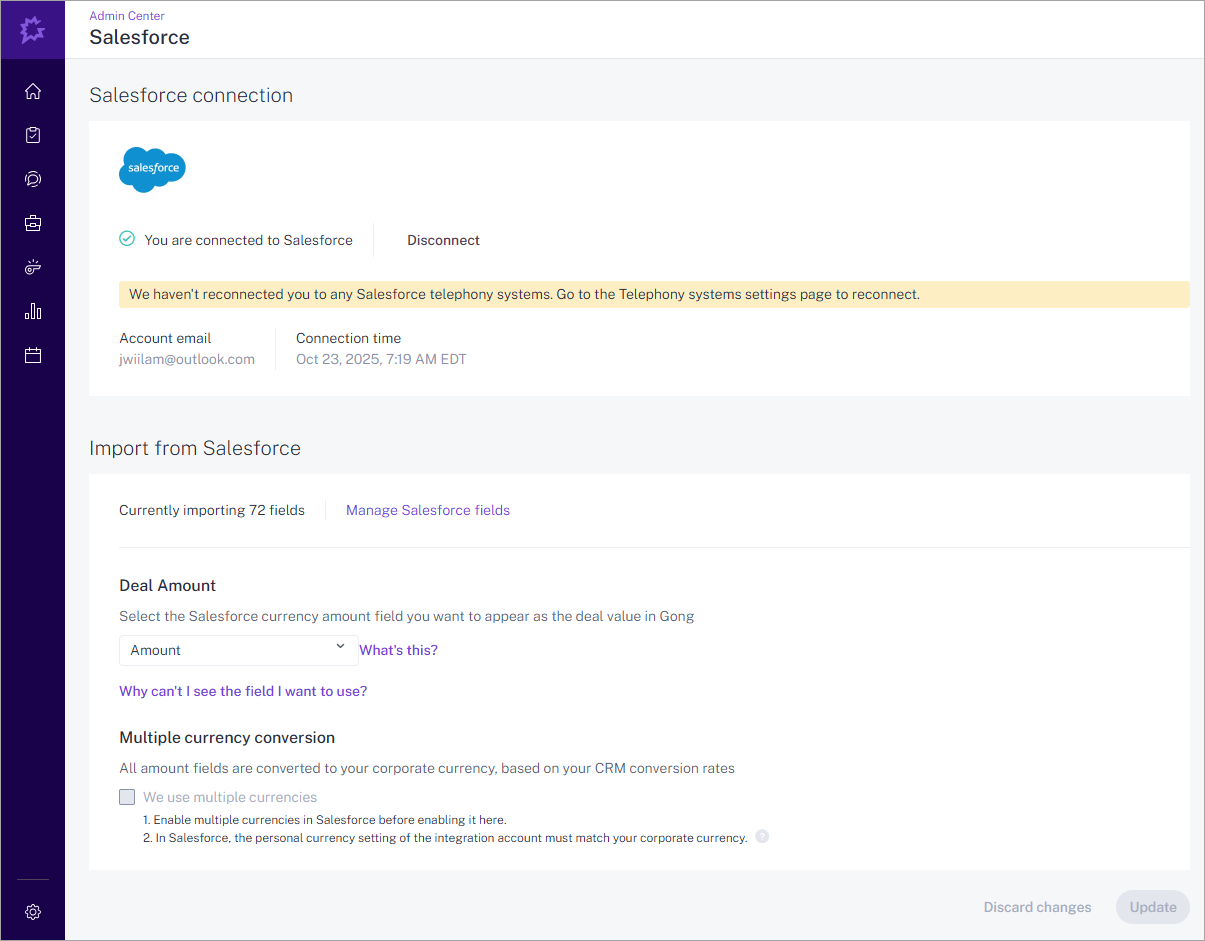
You can disconnect this integration anytime by clicking the Disconnect button.
Post-Integration Behavior
Once connected, Contacts and Leads from your CRM are automatically imported into Gong.
You can view these synced records under Gong → Engage → People tab.
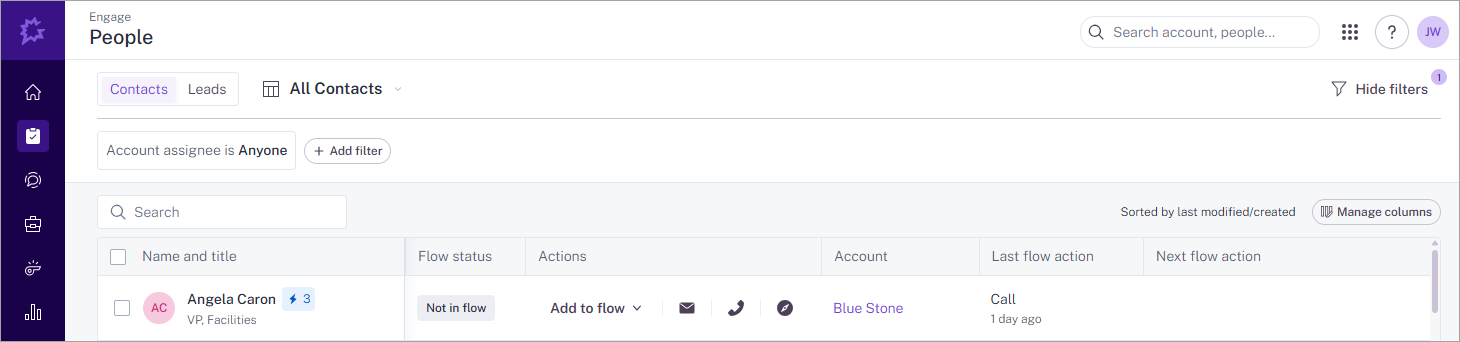
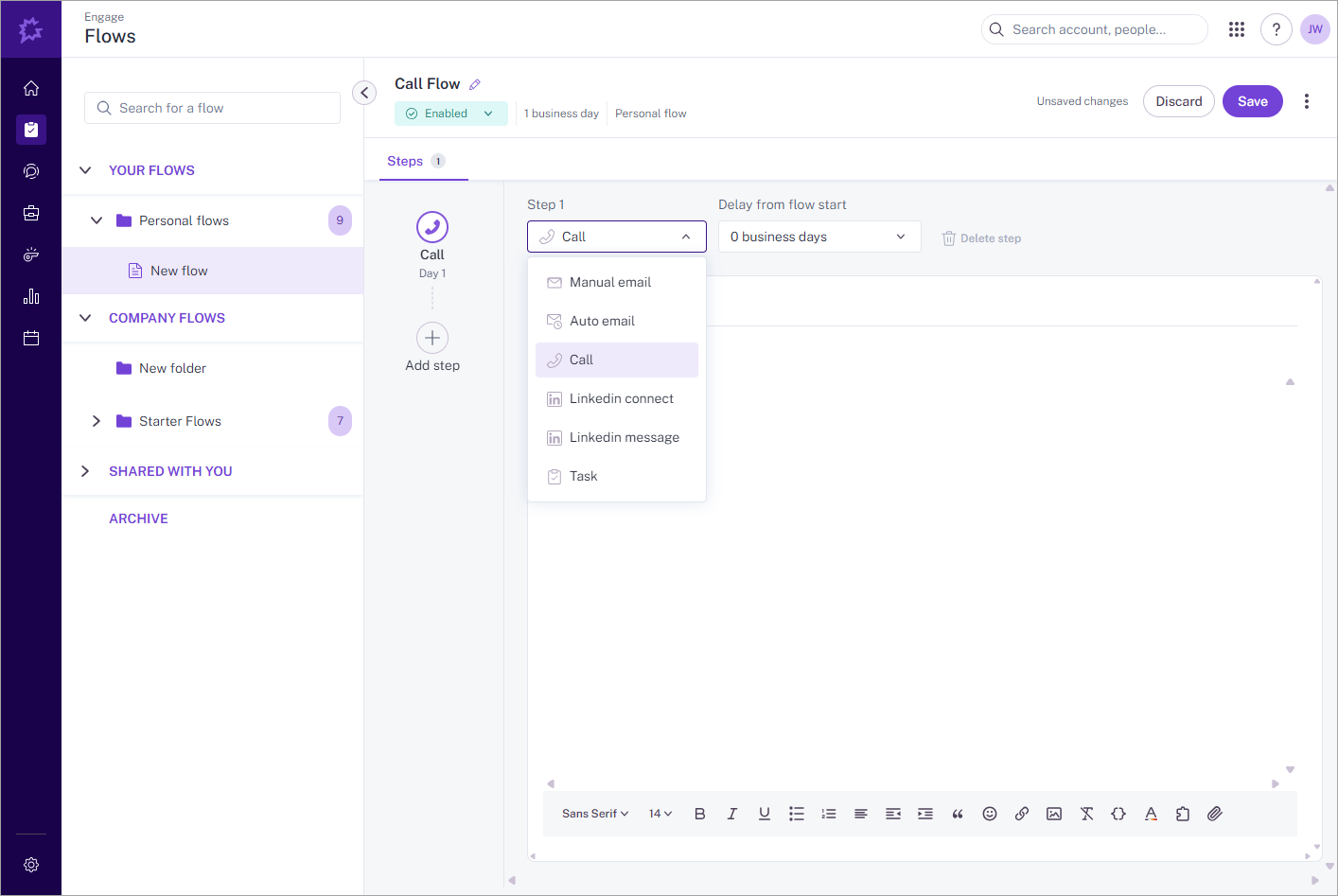
From the Engage → Flows tab, Gong users can create structured Flows containing: Email or Call.
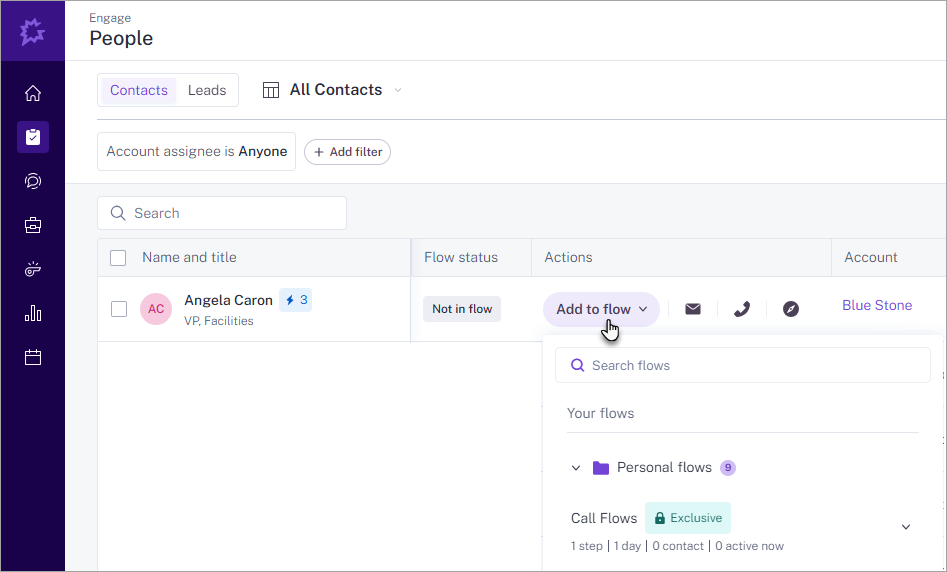
Once a Flow is created, users can add Contacts or Leads from the People tab into the Flow for engagement execution.
Setup from Koncert Side
To complete the integration on the Koncert platform:
Step 1: Contact Koncert Support: Reach out to Koncert Support to enable the Gong Integration feature for your Salesforce or supported CRM organization.
Step 2: Authorize Gong within Koncert: Once the integration is enabled by Support:
Log in to your Koncert account. Go to Administration → Third Party Integration tab. Locate the Gong section and click Authorize.
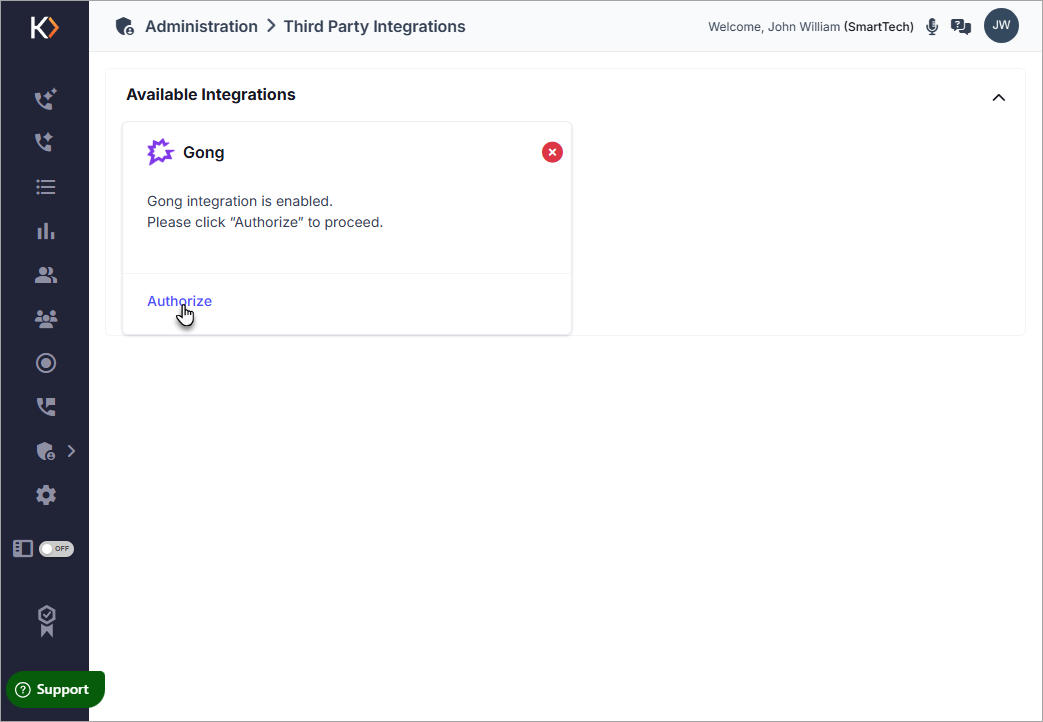
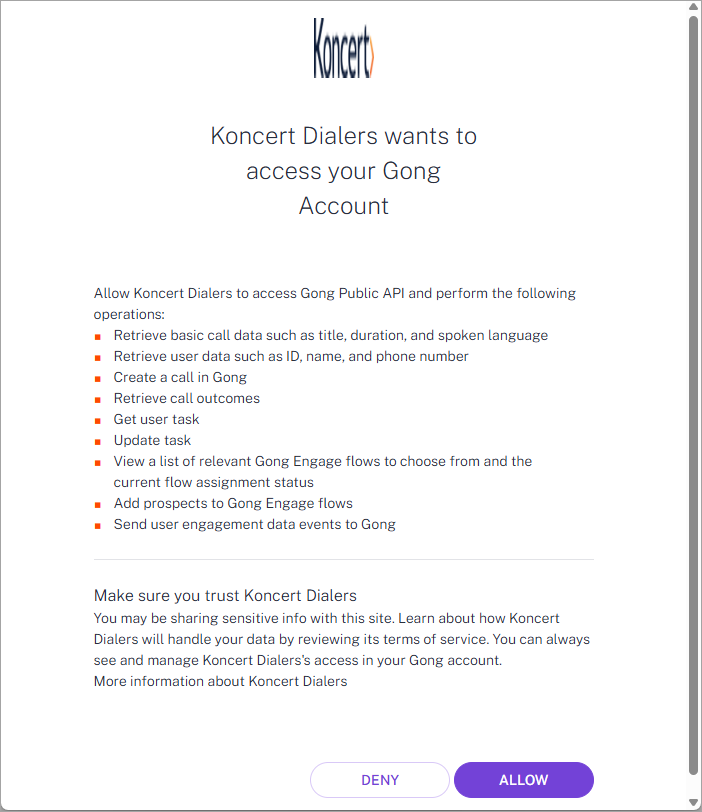
Log in with your Gong credentials and click Alllow to establish a secure authorization.
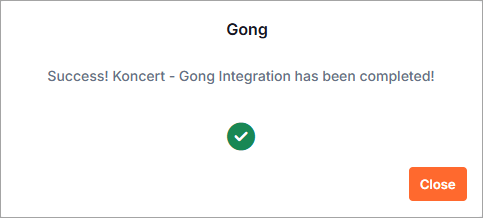
A confirmation message will appear once your Gong account has been successfully authorized.
Admins can authorize Gong from the Administration → Third Party Integrations tab.
Users must authorize their own accounts from Settings → Third Party Integrations tab
Once the authorization is complete, the following options become available:
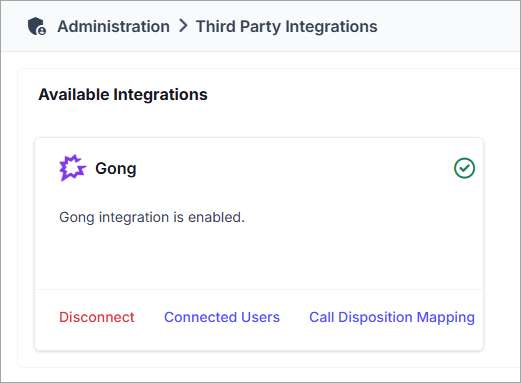
Connected Users – View the list of users who have authorized Gong by clicking the Connected Users button.
(Available only to Admins and Managers.)
Call Disposition Mapping – Click Call Disposition Mapping to map Gong Dispositions to their corresponding Koncert Dispositions. (Mapping can be configured only by Admins, while Managers and Users have view-only access.)
Disconnect – You can disconnect the Gong integration at any time by clicking the Disconnect link.
Importing Gong Data into Koncert
Navigate to the My Lists tab.
Click Add Lists → Add From Gong. This will launch the Add Records From Gong window.
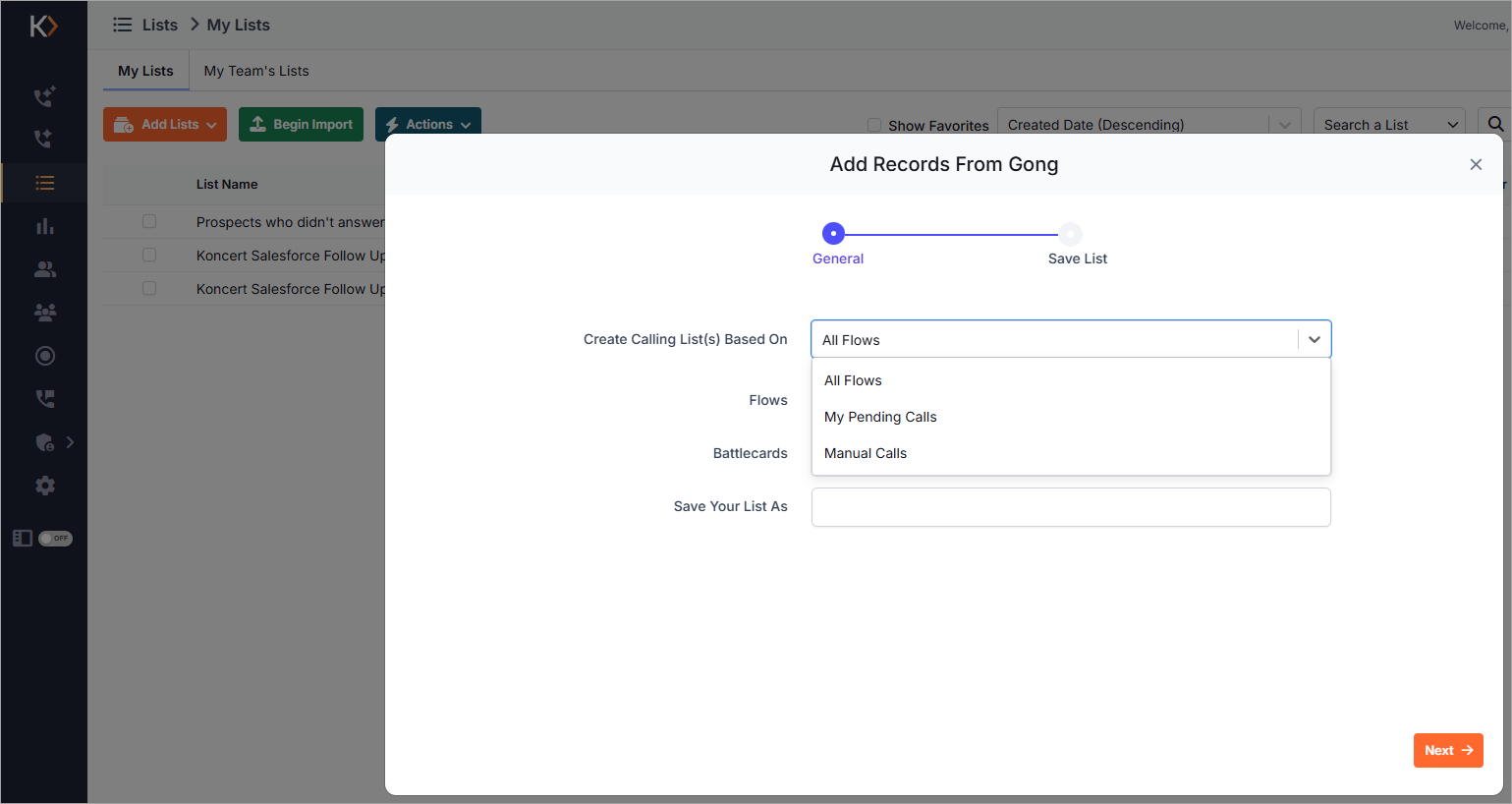
Within this window, you can choose to import the following list types:
All Flows – Allows you to import all active Flows created in Gong. Each Flow includes the associated call tasks assigned to contacts or leads.
Pending Calls – Imports all Call Tasks that are currently pending within your Gong Flows and ready for execution.
Manual Calls – Retrieves all manually created Call Tasks for your synced Contacts or Leads from Gong.
Dialing Imported Gong Tasks
Once the Gong call lists are imported, they will appear under the My Lists tab.
To begin dialing:
Import the desired Gong list into the Dialing Session tab.
Start your dialing session using any of Koncert’s supported dialers:
- AIFD (AI Flow Dialer)
- AIPD (AI Parallel Dialer)
- AAD (Agent-Assisted Dialer)
This allows users to execute Gong-assigned call tasks directly within Koncert while maintaining full synchronization between both platforms.
Key Benefits
Unified Sales Workflow – Manage Gong tasks and Koncert calls from one place.
Frictionless Data Sync – Automatically import call and manual tasks from Gong into Koncert.
Real-Time Task Execution – Dial Gong-assigned tasks instantly using any Koncert dialer.
Improved Productivity – Eliminate manual exports/imports between tools.
Centralized Activity Tracking – All Gong Flow and Call data remains synchronized for analytics and coaching.
Summary
The Gong Integration empowers sales teams to bring together Gong’s engagement intelligence and Koncert’s advanced dialing capabilities — creating a connected, insight-driven calling ecosystem.
This integration reduces manual steps, ensures CRM consistency, and provides a truly end-to-end sales engagement experience across Gong, your CRM, and Koncert.
Please contact Koncert Support for any questions at support@koncert.com or 603-952-2505.
NOTE: The information provided here is for informational purposes only and should not be considered as a legal advice. Please consult your legal counsel regarding compliance with relevant laws.
Was this article helpful?
That’s Great!
Thank you for your feedback
Sorry! We couldn't be helpful
Thank you for your feedback
Feedback sent
We appreciate your effort and will try to fix the article